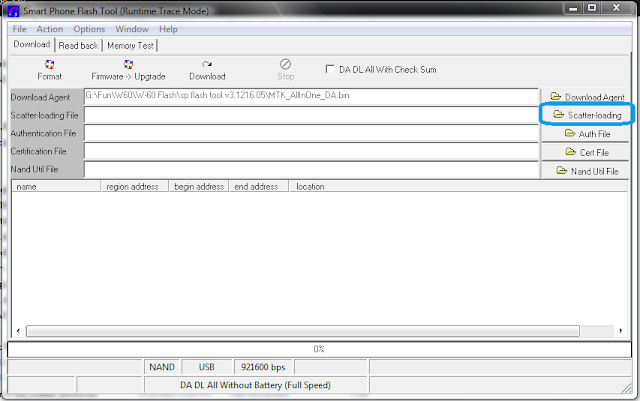
Dead phone or alive,Usb flashing a MediaTek device is a very simple process,At first Download SP Flash Tool and take a rom dump of your mediatek device or download it from the internet,Now,open SPFlashTool and click on Scatter Loading >>>>
At First Make sure the adb driver (Media Driver) is installed to your computer see this post , If done than download MTK Droid root and Tools from here >>> V2.4.8 or V2.4.6 , Extract the 7z with winrar or 7z and install the software,open the software and connect your android mobile to your pc with usb debugging on >>>>
your device will be detected than click on root,backup,recovery tab>>>>>>